Wedding websites
One link that holds the whole wedding
Every function with its own time and venue, directions that open in your guests' phones, a countdown to the muhurtham, and an RSVP that gives you a real headcount. Build and preview it free.
An Indian wedding is three to seven functions across two or three days, in two or three buildings, with different guests invited to different parts of it. A printed card can carry that; what it cannot do is answer the questions that follow — which one am I invited to, where exactly is the hall, what time does it really start, can I bring the children.
A wedding page answers all of them in one link you send on WhatsApp. And unlike a printed card, it can be corrected: if the muhurtham shifts or the reception moves, you edit the page and every guest who opens it — including the ones opening it that morning — sees the right thing.
Every function, separately
Haldi, mehendi, sangeet, muhurtham, nikah, walima, nuptial mass, reception — each with its own date, time, venue and dress code. Name them the way your family names them.
Directions, not an address
A map link per venue that opens in the guest's own maps app. Guests travelling in stop calling to ask which gate.
A countdown to the ceremony
Set against the muhurtham or the main service, in the right time zone — so a cousin in Sharjah sees the same moment you do.
RSVP with a headcount
Per function, with numbers rather than yes-or-no, plus dietary needs. Because a "yes" from a family of six is not one plate.
In your language
The invitation renders in any of twelve Indian languages, so the card your grandmother reads and the one your colleague reads can be the same link.
Made to be forwarded
A proper preview card when it lands in WhatsApp, and a page that opens fast on a mid-range Android phone on mobile data — which is how almost everyone will see it.
Five designs
Each has its own motion, not just its own colours. Open any of them and scroll — the previews are the real thing, rendered with sample details.
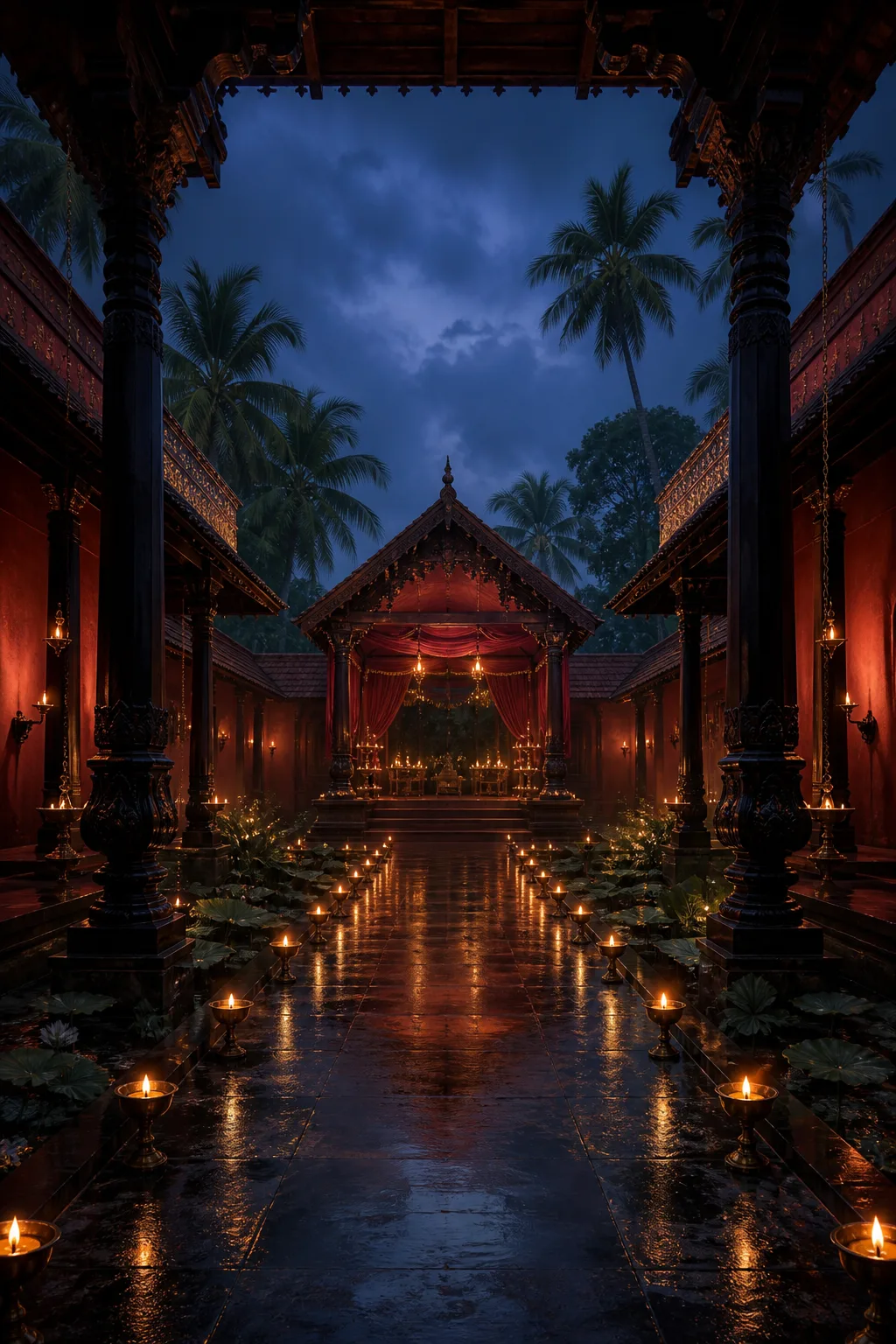 SindoorThe Scarlet CourtyardA rain-lit Kerala mandap alive with vermilion silk, carved teak, marigold torans and breathing brass lamps. A sacred thread carries every celebration through the flower corridor.Open the preview
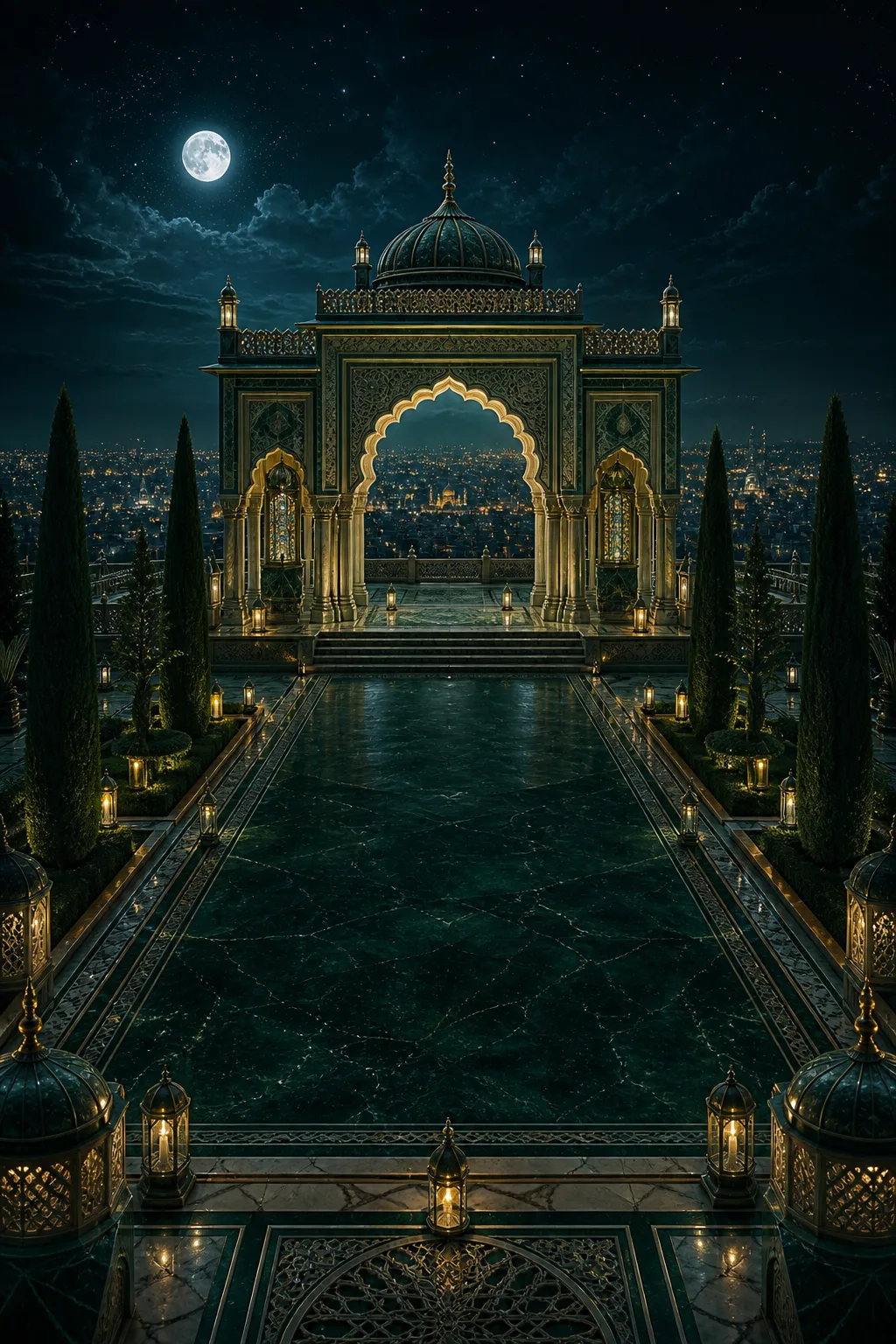 NoorThe Garden of LightA moonlit Hyderabadi invitation alive with silk, jasmine, lanterns and shifting jaali light. The celebrations orbit a celestial dial turned by your scroll.Open the preview
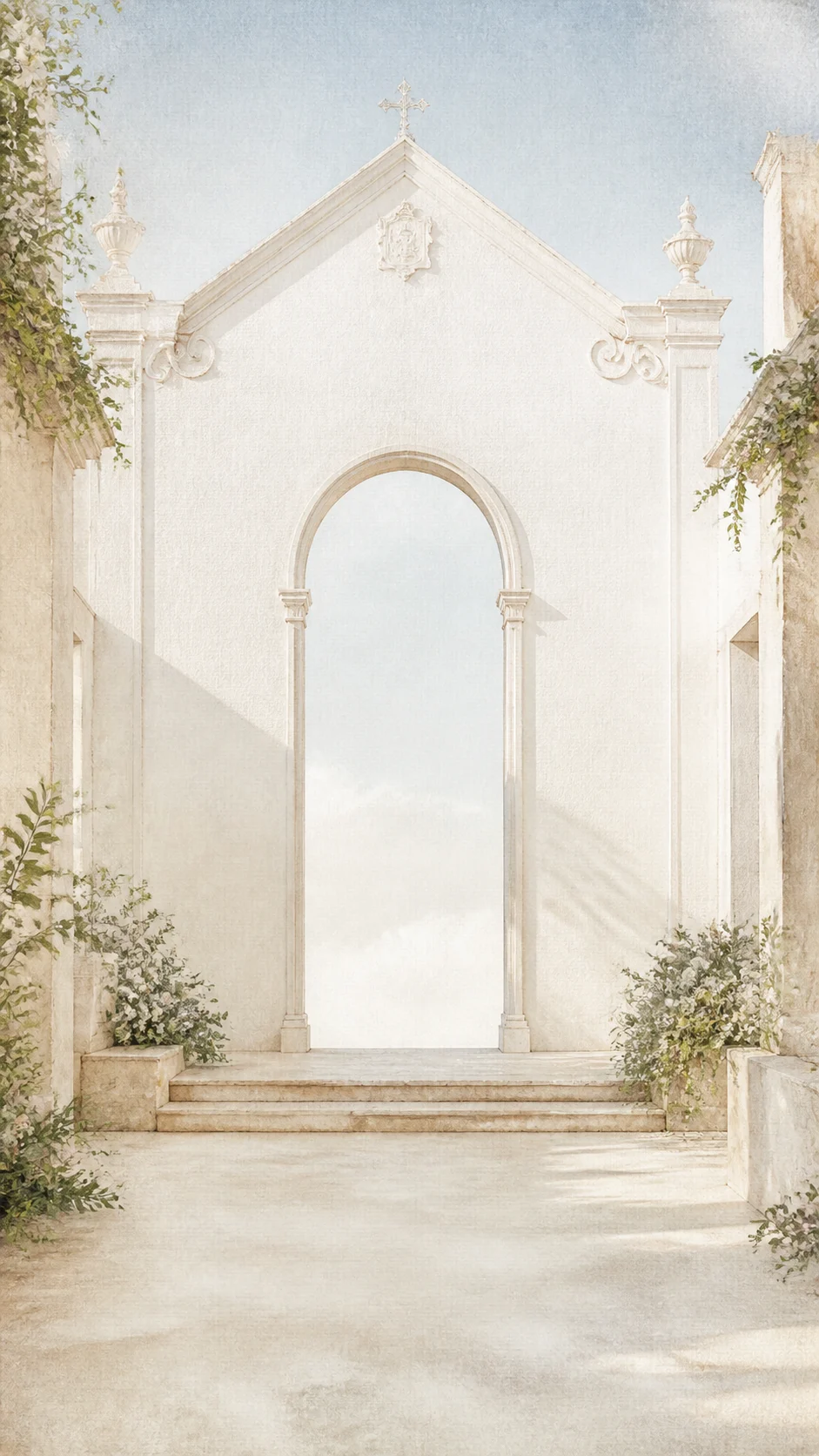 GraceThe Chapel FolioEmbossed pearl-paper doors open in 3D onto a luminous white chapel garden, followed by stained-glass light, turning vow-book pages and a reply postcard.Open the preview
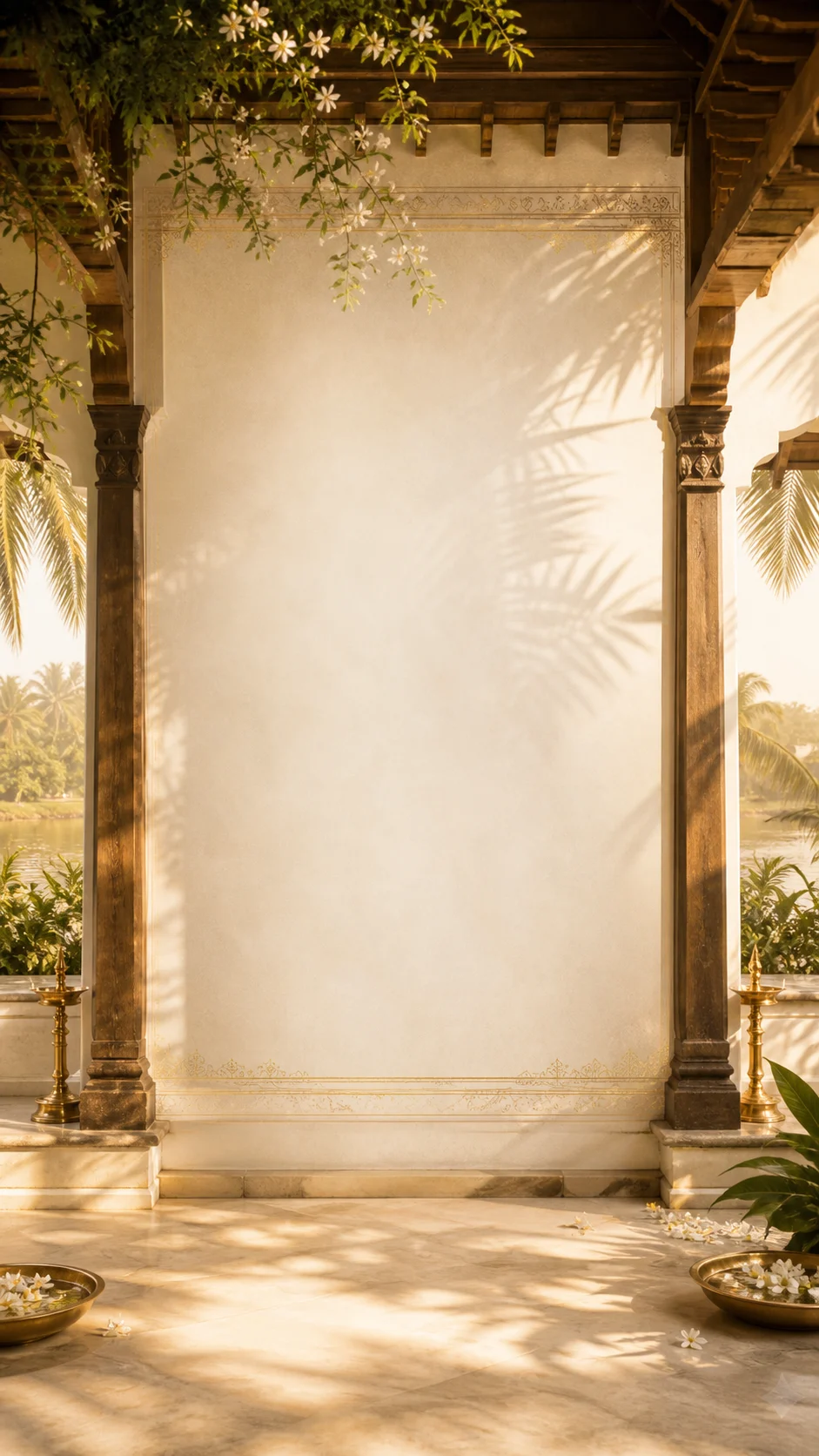 KasavuThe Golden CourtyardA sunlit handloom invitation alive with swaying palms, jasmine, brass lamps and wind-lifted Kasavu cloth. The golden thread leads from ceremony to celebration.Open the preview
 AuroraMoonlight over Lake PicholaA single cinematic invitation layered with a painted lake, glowing island palace, pearl silk and moonlit botanicals. Every layer moves at its own depth.Open the preview
How you build one
- Pick a design. All five are free to open and try with your own details.
- Fill in the couple, the families and your functions — dates, times, venues, dress codes.
- Add photographs and, if you want one, a short note about how you met.
- Turn on RSVP and choose what to ask for. Per function, with a headcount, is the default.
- Preview it exactly as a guest will see it, on your own phone.
- Publish for ₹499 once — no watermark, unlimited guests — and send the link.
What it costs
| Price | What it includes | |
|---|---|---|
| Build and preview | Free | Any design, your own details, previewed exactly as guests see it |
| Publish | ₹499 one-time | All five designs, no watermark, unlimited guests, RSVP and guest list |
| Custom link | ₹100 one-time | Your names in the address instead of a generated code |
The rest of the wedding side
RSVP and headcounts
Replies per function, in numbers rather than yes-or-no, with dietary needs and a running total.
Wedding planning
The checklist, the calendar of functions and the guest list, shared with whoever is helping.
Hindu wedding invitations
Haldi, mehendi, sangeet and the muhurtham as separate cards, with the window stated properly.
Nikah and walima invitations
Two ceremonies, two hosts, two guest lists — and prayer-relative timings.
Christian wedding invitations
The service named as your denomination names it, with parish, celebrant and reception.
South Indian wedding invitations
Built for an early muhurtham and a sadhya, in Malayalam, Tamil, Telugu and Kannada.
Questions
- Is it really free to build?
- Building and previewing is free — you can fill in every detail and see the finished page before deciding. Publishing without a watermark is the paid step, ₹499 once per wedding.
- Can I edit it after sending the link?
- Yes, and the link stays the same. Guests who open it afterwards see the current version, which is the main practical advantage over a printed card.
- Is there a per-guest charge?
- No. One payment per wedding, however many people you invite.
- Can guests see it without an account?
- Yes. Guests open the link and read the invitation — no sign-up, no app.
- Will it work on an older Android phone?
- That is the phone it is built for. The animations degrade to something simpler on smaller screens, and everything respects a reduce-motion setting.
- Can I have my names in the link?
- Yes — a custom link is ₹100 once. Without it you get a generated code, which works identically but is harder to read out.
Read next
Try it with your own details
Open any design, fill in your functions, and see the finished page before you decide anything.